Is there a Logmor app?
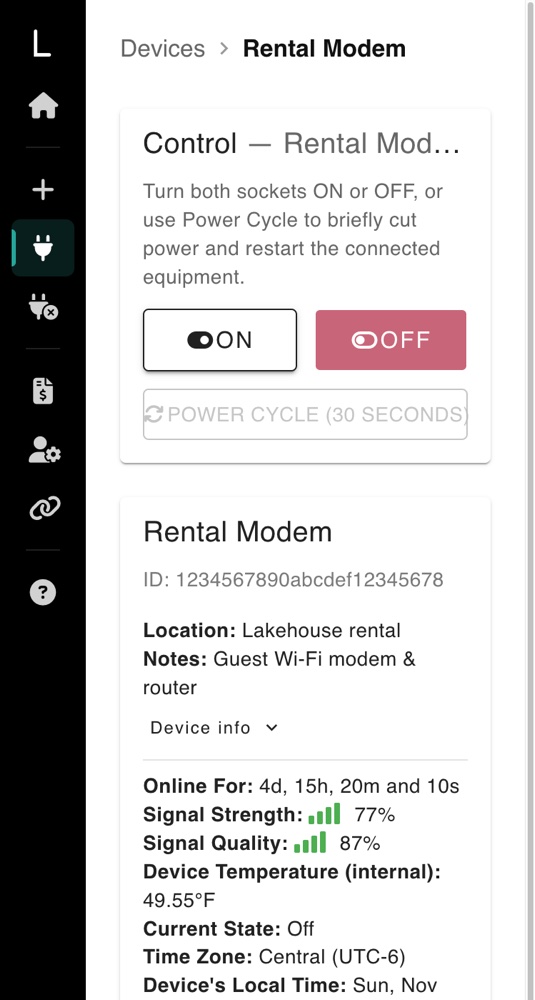
Yes, and you don't need an app store to get it. The Logmor Device Portal can be added to your home screen. It gets the Logmor icon, opens full screen without the browser bar, and has every control: on, off, power cycle, schedules, status and billing.
Because it loads from our servers each time, it's always the latest version. There are no updates to install.
iPhone or iPad
- 1
Open the portal in Safari
Go to device.logmor.com in Safari. Chrome on iPhone works too.
- 2
Tap Share
Tap the Share button (a square with an arrow pointing up). On newer iPhones it may be inside the ••• menu next to the address bar.
- 3
Add to Home Screen
Scroll down and tap Add to Home Screen, then Add. If "Open as Web App" is shown, leave it on.
- 4
Open it and sign in
Tap the new Logmor icon. Sign in once: the home-screen app keeps its own sign-in, separate from Safari.
Android
- 1
Open the portal in Chrome
Go to device.logmor.com in Chrome.
- 2
Install it
If Chrome shows an Install prompt, tap it. If not, tap the ⋮ menu at the top right, then Add to Home screen (or Install app), then Install.
- 3
Open it
Tap the Logmor icon on your home screen or in your app drawer. You'll stay signed in.
Using Samsung Internet? Tap the menu (☰), then Add page to → Home screen.
Questions
Why isn't it in the App Store or Google Play?
The portal works the same on every phone and computer, and every improvement reaches you right away without an update. Adding it to your home screen gives you the same one-tap access as a store app.
Is it safe?
Yes. It's the same secure site (https://device.logmor.com) you'd sign in to in the browser, just with its own icon.
Can I use it on a computer too?
Yes. Sign in at device.logmor.com in any browser. In Chrome or Edge on a computer, you can also choose Install from the address bar to get a Logmor window of its own.
I don't see "Add to Home Screen" on my iPhone.
Make sure you're in Safari (or Chrome), not inside another app's built-in browser such as Gmail or Facebook. If you opened the link from an email, tap the compass or "Open in Safari" button first.
How do I remove it?
Press and hold the Logmor icon and choose Remove App (iPhone) or Uninstall (Android). Your account and outlets aren't affected.
Still stuck? Email support@logmor.com and tell us your phone model. We'll walk you through it.