Why does 5G home internet keep dropping?
5G and LTE home internet gateways connect to a cell tower like a phone does. They can lose their connection after a tower update, heavy congestion, a weak signal or a long uptime, and some don't recover on their own. Unplugging the gateway for 30 seconds and plugging it back in fixes most of these drops. That's easy when you're home and impossible when you're not.
Restart It Even When It's Offline
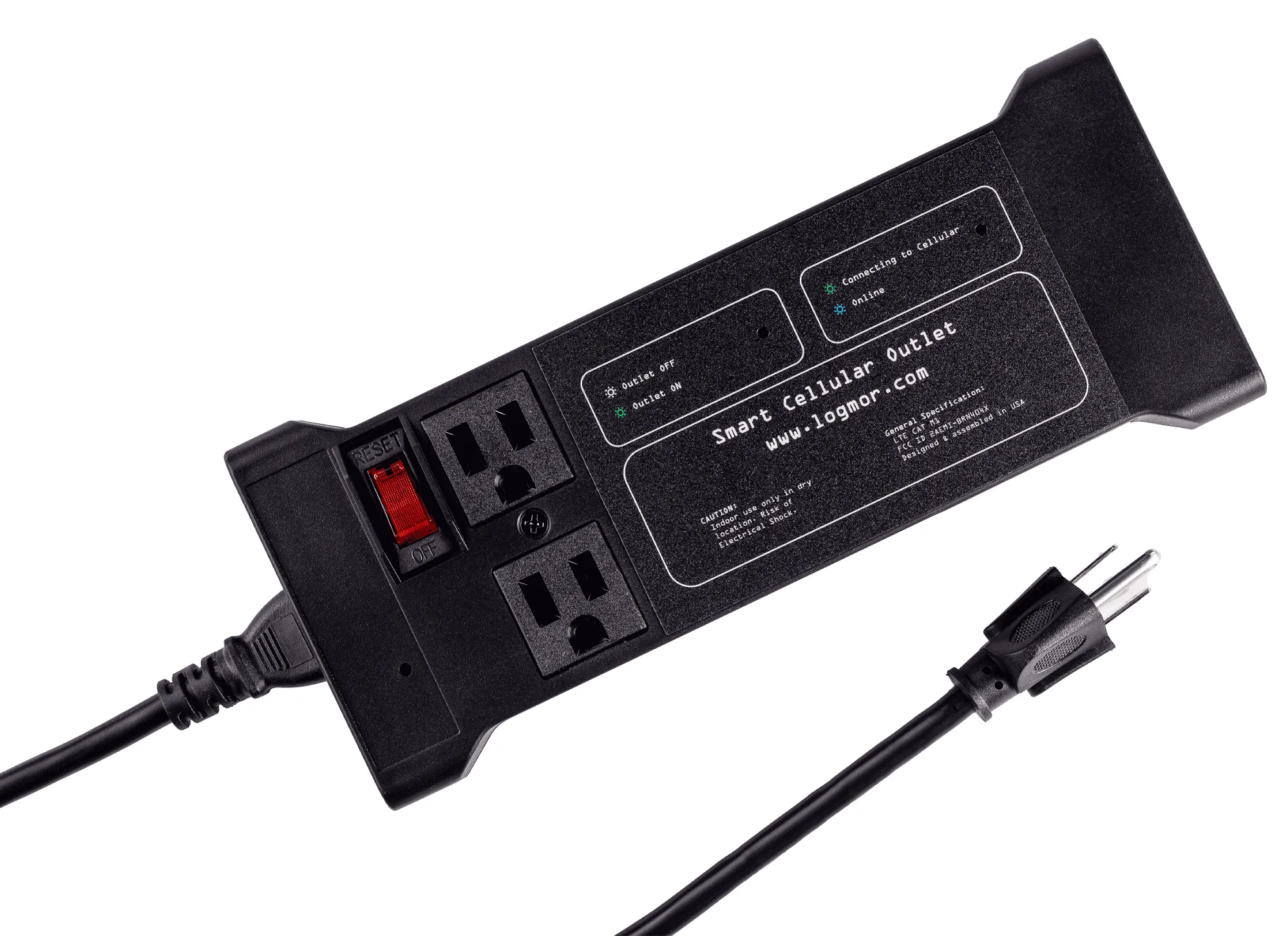
The carrier app and the gateway's web page only work while the gateway is online. A Wi-Fi smart plug doesn't help either: it uses the same internet that just went down. Logmor has its own 4G LTE connection and SIM, so you can tap Power Cycle from anywhere and the gateway restarts in about a minute.
Works With
- T-Mobile 5G Home Internet gateways
- Verizon 5G Home and LTE Home Internet
- AT&T Internet Air
- Other plug-in 5G/LTE gateways and hotspots, plus the router or mesh system behind them
Logmor isn't affiliated with these carriers. It simply switches the power to whatever is plugged into it.
Set It Up in About 10 Minutes
- Plug the Logmor outlet into the wall near the gateway.
- Plug the gateway's power adapter, and your router if you use one, into the Logmor outlet.
- Wait for the cyan status light, then scan the QR code to activate at device.logmor.com.
- When the internet drops, open the portal on your phone's cellular data and tap Power Cycle.
Make It Automatic (Optional)
- Nightly restart: set an Off rule at 4:00 a.m. and an On rule at 4:01 a.m. to restart the gateway every night. Rules run on the outlet itself, even without signal.
- Restart when the internet goes down: automatic reboots with Globalping and Zapier, or with Home Assistant or your own script using the REST API.
Good to Know
- A restart can't fix a tower or carrier outage. If the whole area is down, the gateway reconnects once service is back.
- Logmor uses AT&T or T-Mobile LTE-M. If your gateway uses the same carrier, both share the same tower area. LTE-M is a separate, low-bandwidth network, so it usually still connects while the gateway is stuck.
- Placement: gateways usually sit near a window for signal, which is a good spot for Logmor too. Keep it indoors and dry.
FAQ
Will it work if the 5G gateway is my only internet?
Yes. Logmor never uses your home internet; it has its own cellular connection.
Does it work for renters and vacation homes?
Yes. Many owners use it at rentals and second homes, where a frozen gateway means a guest complaint or a long drive. See the rental modem reboot guide.
What does it cost?
$169.99 for the outlet, then $15/month per outlet after a 14-day free trial. Month to month, cancel online anytime.